
Skip to content

xscriptor/xfetch

Xfetch

XFetch logo

xfetch linux macos windows rust mit

A cross-platform system information fetching tool inspired by fastfetch and neofetch, written in Rust.

Demo

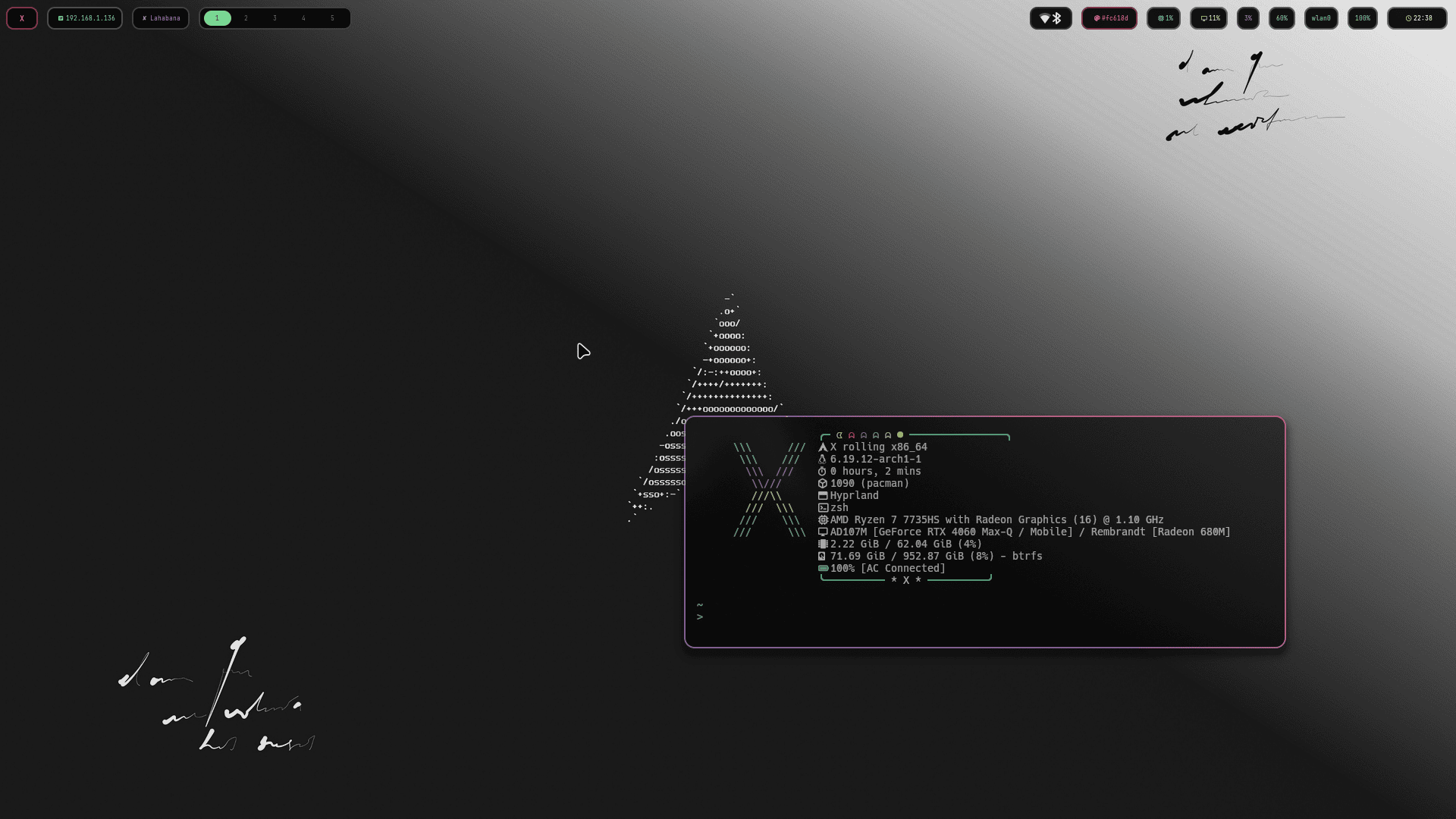
Previews

Main preview

More previews
Preview 2 Preview 3

Quick Install

Linux / macOS:

curl -fsSL https://raw.githubusercontent.com/xscriptor/xfetch/main/install.sh | bash

Windows (PowerShell):

irm https://raw.githubusercontent.com/xscriptor/xfetch/main/install.ps1 | iex

For detailed installation steps — prerequisites, manual builds, package managers, and uninstallation — see the Installation Guide.

Features

  • Cross-platform: Works on Linux, Windows, and macOS.
  • Customizable: Configure modules via config.jsonc.
  • Fast: Written in Rust for performance.

Configuration

xfetch looks for a configuration file at:

  • Linux: ~/.config/xfetch/config.jsonc
  • Windows: %APPDATA%\xfetch\config.jsonc
  • macOS: ~/Library/Application Support/xfetch/config.jsonc

Example Config (config.jsonc)

// Configuration for xfetch
{
  // Path to custom ASCII art file (optional)
  "ascii": null, 
  // Modules to display
  "modules": [
    "os",
    "kernel",
    "wm",
    "packages",
    "shell",
    "cpu",
    "gpu",
    "memory",
    "disk",
    "battery",
    "uptime",
    "terminal"
  ],
  // Enable colors
  "show_colors": true
}

Usage

Simply run xfetch in your terminal.

xfetch

Contribute to the project, report issues, or connect with the developer using the links around

X

X Web & X Github Profile & Xscriptor web

About

A fast, lightweight, and highly customizable system information fetcher for the terminal, built in Rust. Display your system info with style and flexibility across Windows, Linux, and macOS.

Topics

Resources

License

Code of conduct

Contributing

Security policy

Stars

Watchers

Forks

Packages


Contributors