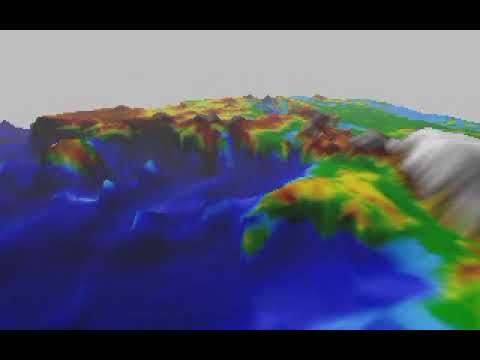
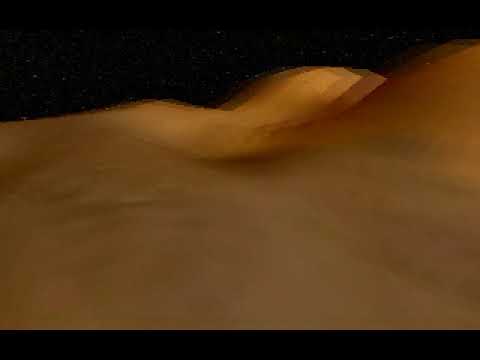
A software 3D rendering engine I wrote between the ages of 14 and 17, in C++ with inline x86 assembly, targeting DOS protected mode (Open Watcom 1.3, Dos/4GW). About 11,000 lines of code.
I built this with almost no internet access -- maybe an hour or two per week. Nearly all the math (projection, clipping, rasterization, mip-mapping, lighting, terrain generation) was derived from first principles. The 1/z perspective correction and Sound Blaster audio setup were the two things I actually found online; everything else I figured out on my own, often by thinking through the geometry on the bus between school and home.
I didn't know at the time that what I was building had formal names in computer graphics literature, or that the approaches I came up with were the same ones used by real engines. I just thought it was fun.
Some of the more interesting things buried in this codebase:
-
View Transform -- To simplify projection math, I had the idea to transform the entire world so the camera sits at the origin looking down a fixed axis. This is the standard world-to-camera transform that every graphics engine uses, but I didn't know that -- I thought it was just a hack to make the math tractable. The
// no need:comments document where I deliberately skipped transforming vectors that had already served their purpose. -
Template-Based Triangle Rasterizer -- The core rasterizer is a C++ template
_TRI3D<VALUES, CONSTS>that doesn't know what it's interpolating. Each triangle type (flat-colored, textured, lit+textured) provides its ownVALUESstruct with operator overloads (+,-,*,/), and the rasterizer interpolates them generically. This is essentially a policy-based design pattern, which I arrived at before knowing the term. -
Near-Plane Clipping -- Triangles that straddle the near plane are handled case-by-case: 0 vertices behind (draw normally), 1 vertex behind (clip into two triangles), 2 vertices behind (clip into one). Each case computes line-plane intersections and correctly interpolates all per-vertex values at the new clip points.
-
Perspective-Correct Interpolation -- The 1/z trick is woven throughout the rasterizer. Before interpolation, values are pre-multiplied by 1/z (
Values.TexCoords *= Values.zwhere z is already 1/z). At each pixel, the real values are recovered by dividing out. This ensures texture coordinates and lighting interpolate correctly in screen space. Because it's built into theVALUESabstraction, perspective correction applies to everything automatically. -
Mip-Map Generation and LOD Selection -- The mip chain is built by repeated 2x downsampling with box-filter averaging. The LOD level is selected with
MaxLevel - 1 - Log2(l)wherelis the projected screen-space texel density. I derived this by thinking about when individual texture pixels stop being visible -- which turns out to be the textbook formula. The distance-based optimization skips bilinear filtering for distant mip levels (where the mip already smoothed things out) and only does full bilinear at the finest level. -
Probability Distribution Curves -- The terrain generator uses shaped random distributions for bump heights and radii.
_HeightDistributionCurveuses atan(x)/xshape (moderate heights, occasional tall spikes) and_RadiusDistributionCurveuses an exponentiale^x - xshape (mostly small bumps, long tail for wide ones). I didn't know what a PDF was at the time -- I just plotted functions in a graphing calculator until they looked right, then hardcoded the parameters. The RCurve function pipes uniform randoms through these curves, which is essentially inverse transform sampling. -
Fixed-Point Float Random Hack -- Float randoms are generated by converting the range to 16.16 fixed-point, doing integer random generation there, and converting back. Avoids expensive FP division on Pentium-era hardware, giving uniform floats with ~0.000015 granularity. The self-aware comment
"Not to be used with big numbers"documents the overflow risk. -
Transition Effects -- A cinematic screen wipe: a glowing vertical light bar sweeps across the screen, revealing the new image behind it. The glow falloff uses a specular power curve (
Pow(..., Ns)), repurposing the Phong lighting exponent for a 2D effect. -
Frame Timing from an 18.2 Hz Clock -- The DOS BIOS timer only ticks at 18.2 Hz (~55ms per tick), which is slower than the frame rate. A naive approach would cause freeze-freeze-JUMP stuttering. The
dTIMEclass works around this by computing a running average of frame time over multiple frames, then periodically committing it as the current time delta. This effectively recovers smooth sub-tick timing from an undersampled clock signal. When recording movies, a fixed time step is forced instead (dTime.Variation=ClockTick/29.9697f) so playback runs at a consistent rate regardless of actual render speed. -
Rendering Text from Bitmap Fonts -- Every glyph loaded from a BMP file and rendered pixel by pixel.
-
Lighting -- Ambient, diffuse, and specular (Phong model) with HDR / over-bright support.
-
The Drawing Surface -- Surfaces serve as both the screen and textures. You can render onto textures to create effects like mirrors. This also contains the mip-mapping engine.
The engine uses VESA mode 0x10F (320x200, 24-bit color) which requires specific DOSBox configuration. Standard DOSBox doesn't handle this mode correctly. Here's how to get it running on macOS:
-
Install DOSBox-X (not regular DOSBox):
brew install --cask dosbox-x
-
Sound files: Minimal placeholder WAV files are included in
Sources/SOUNDS/. The engine callsexit(1)if these files are missing. The placeholders are silent but satisfy the loader; sounds are only played on keypress so this has no effect on the visuals. -
Configure DOSBox-X by editing
~/Library/Preferences/DOSBox-X <version> Preferences:[dosbox] machine = vesa_nolfb # standard VESA without S3-specific quirks [dosbox] memsize = 64 # engine loads ~30MB of assets [video] vmemsize = 8 allow explicit 24bpp vesa modes = true allow 24bpp vesa modes = true allow low resolution vesa modes = true vbe window granularity = 64 vesa bank switching window mirroring = true vesa vbe 1.2 modes are 32bpp = false
Key settings explained:
machine = vesa_nolfb-- the S3 Trio64 emulation (svga_s3) internally uses 32bpp for 24-bit modes, causing a stride mismatch with the engine's pixel layoutmemsize = 64-- the engine loads large textures (Earth, Moon, Mars, Stars) plus ~12MB of sound files; 16MB is not enoughvesa vbe 1.2 modes are 32bpp = false-- forces true 24-bit pixel layoutvbe window granularity = 64-- matches the 64KB bank switching granules the engine'sCopyBackBufferexpects
-
Run:
cd Sources
/Applications/dosbox-x.app/Contents/MacOS/dosbox-x 3d.exe
Controls: Arrow keys to move/rotate camera, various letter keys toggle features (B = generate bumps, F = cycle text color, etc.). Press Escape to exit.
ride.exe is a wireframe tunnel/rollercoaster demo from an earlier version of the engine (pre-triangles, 8-bit color only). It uses VGA mode 0x13 (320x200 256-color) and needs the standard svga_s3 machine type instead of vesa_nolfb:
cd Sources
/Applications/dosbox-x.app/Contents/MacOS/dosbox-x -set "dosbox machine=svga_s3" ride.exe
Note: ride.exe requires BITMAPS/Ride.bmp and BITMAPS/BRide.bmp (included in the repo) for its splash screen.
See pipeline.txt for an overview of the graphics processing stages.
Written at the time, preserved as-is:
E3Dos is a software rendering engine that I started programming in the beginning of 2004. Even though the engine has only about 11000 lines of code, I have written and rewritten (reorganized) each part of it at least twice. The sources are tidy (except for "3D.cpp", the main file, which only applies the features of the engine), but most of them are uncommented.
The program has no immediate practical use (maybe only didactical). I have written it in order to understand the technology in the back of the high-end engines on the game market.
• Geometry:
    ◦ 2D Vectors
    ◦ 3D Vectors
• Mathematics
    ◦ Fixed Point Calculation (Optimization) (Not integrated with the graphics engine, yet)
• Graphics
    ◦ 2D Graphics
        ▪ Antialiasing (5 pixel mean)
        ▪ Vertical Retrace Waiting
        ▪ Double Buffering
        ▪ Graphics Modes
            • 10fh (320x200, 24-bit)
            • 112h (640x480, 24-bit)
            • 115h (800x600, 24-bit)
            • 118h (1024x768, 24-bit)
        ▪ Simple Motion Blur (No Pixel Speed Calculation)
        ▪ Two Types of Alpha Blending
        ▪ Transition Effects
        ▪ Fade In/Out
        ▪ Line Tracing
        ▪ Fast Pixel Plotting
        ▪ 24-bit Bitmap Loading and Saving Possibility (only with height and width divisible by 4)
        ▪ Font (loading from a bitmap)
        ▪ Progress Bar
    ◦ 3D Graphics
        ▪ Z Buffering
        ▪ Alpha Buffering
        ▪ Linear Fog
        ▪ Stereogram Support
        ▪ 3D Line With Specific Mesh
        ▪ 3D Triangle With Specific Meshes
            • No Jittering Effects (Good Filling Code)
            • Gouraud-Shading with Ambient, Diffuse and Specular Lighting (Supports HDR (High Dynamic Range) Lighting – Over Bright etc.)
            • Texture Mapping
            • Rendering on Textures
            • Texture Tiling
            • Perspective Correction
            • 3D and 2D Clipping (3D clipping is not 100% proof)
            • Culling (Not 100% proof; might generate jittering, but this happens rarely)
            • Mip Mapping
            • Alpha Blended Triangles
            • Selects Rendering Mode depending on the distance of the object from the camera, resulting in a good Quality / Performance balance
            • Texture Filtering
                ◦ Bilinear Filtering
                ◦ Trilinear Filtering
            • Random Height Terrain Generator With Normals
            • Displacement Mapping (Based on Bump Bitmaps; only from flat surfaces)
        ▪ Mesh Binary I/O
• Input
    ◦ Keyboard
    ◦ Mouse (2 Buttons, No Pointer)
• Memory
    ◦ Upper Memory Allocation
        ▪ Simple Allocation Methods
        ▪ Allocation With No Page Boundary Crossing (Optimization Trick)
    ◦ Lower Memory Allocation
• Random Generator
    ◦ long Values Generator
    ◦ float Values Generator (based on fixed point)
    ◦ Generator based on Distribution Curve
• SoundBlaster
    ◦ WAV Files Compatibility
    ◦ SND Files Compatibility
    ◦ Up To 44100 Samples/Second (~ 44.1 KB/s)
    ◦ Doesn’t Affect Rendering Performance (doesn’t do mixing)
    ◦ Plays Sounds That May Occupy the Entire RAM
    ◦ Auto Detects IRQ, Port and DMA
• Time Calculation
    ◦ Simulates Higher Clock Resolution (the system clock only has 18.2 Hz resolution)
    ◦ Calculates FPS
• Logging (in a log file)