A local Kubernetes development environment on macOS using DevSpace, featuring Gateway, observability, DNS integration, and certificate management.
devspace deploy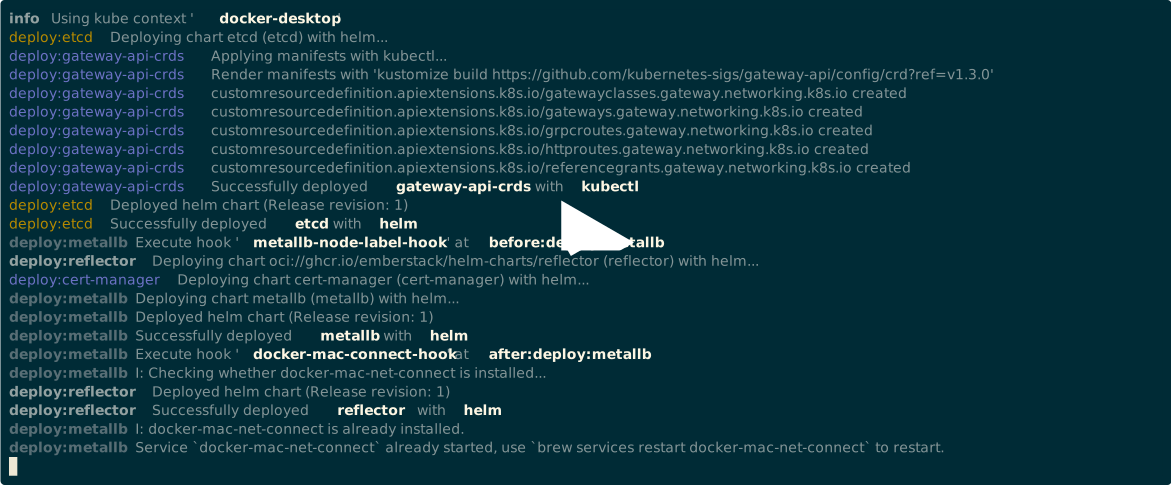
This starter pack provides a complete local Kubernetes development infrastructure with:
- HTTP(S) Gateway: Istio with Gateway API and Ingress for traffic management
- Load Balancing: MetalLB for LoadBalancer services on local clusters
- DNS Integration: External DNS with CoreDNS for
.kubedomain resolution - Certificate Management: Complete CA chain with cert-manager and trust-manager
- Observability: Local OpenTelemetry tracing plus optional metrics/logs add-ons
- Data Storage: PostgreSQL, Redis, and ElasticSearch options
- Developer Experience: Automatic certificate import, DNS configuration, and network setup
- DevSpace (>= v6.0): Install Guide
- kubectl: Kubernetes CLI
- yq (>= v4): YAML processor
- Helm (>= v3): Package manager for Kubernetes
- Docker Desktop
- Minikube (edit
DOCKER_CIDR_PREFIX)
- Homebrew: For installing
docker-mac-net-connect - Admin privileges: Required for DNS configuration and certificate import
git clone <repository-url>
cd devspace-starter-packDeploy all infrastructure components:
devspace deployDeploy specific profiles:
# Add databases
devspace deploy --profile local-psql,local-redis

# Add Grafana
devspace deploy --profile o11y-grafana

# Add logs and Grafana trace backend addons
devspace deploy --profile o11y-grafana,o11y-addonsCheck that all components are running:
kubectl get pods --all-namespacesTest DNS resolution:
dns-sd -q ns.dns.kubeNOTE: on macOS, do not rely on dig for testing DNS resolution.
| Profile | Description | Components |
|---|---|---|
local-network |
Core networking infrastructure | MetalLB, Istio, Gateway API |
local-dns |
DNS integration for development | External DNS, CoreDNS, etcd |
local-certs |
Certificate management | cert-manager, trust-manager, reflector |
local-aux |
Auxiliary services | Reloader |
local-test |
Test applications | httpbin with routes |
with-o11y |
Core observability | Prometheus, metrics-server, OpenTelemetry Collector, Jaeger |
o11y-grafana |
Grafana UI | Grafana, Grafana HTTPRoute, datasource/dashboard sidecars |
o11y-addons |
Extended observability | Alloy, Loki, Tempo, Grafana datasource ConfigMaps |
local-psql |
PostgreSQL database | PostgreSQL with persistence |
local-redis |
Redis cache | Redis with persistence |
local-es |
ElasticSearch | Single-node ElasticSearch |
Find all available commands:
devspace list commands# Configure host DNS to use cluster DNS for .kube domains
devspace run update-cluster-dns
# Reset DNS configuration
devspace run reset-cluster-dns
# Import cluster root CA certificate to macOS keychain
devspace run import-root-caThe tracing services are ClusterIP services by default. Service workloads should use the in-cluster
collector DNS name directly. The Jaeger UI is exposed through the shared local HTTPS gateway at
https://jaeger.int.kube. Grafana is available at https://grafana.int.kube when the
o11y-grafana profile is deployed.
# Forward OTLP/gRPC and OTLP/HTTP for host-side trace smoke tests
devspace run port-forward-otel- Network Connectivity: Automatically installs and configures
docker-mac-net-connectfor seamless networking - DNS Integration: Configures macOS to resolve
.kubedomains through the cluster DNS - Certificate Trust: Imports cluster CA certificates to macOS keychain for trusted HTTPS
*.int.kubeautowired for Gateway API*.istio.kubeautowired for Istio Ingress- Gateway API and Istio Ingress support for traffic management
- Automatic TLS termination with custom certificates
- Traffic routing for microservices
The Istio mesh config defines an optional Gateway API external authorization provider named
gateway-ext-authz-grpc. This is only a generic extension point: infra does not install an ext-authz
backend, does not create a gateway-ext-authz Service, and does not create an AuthorizationPolicy.
If no app installs an AuthorizationPolicy that uses the provider, the provider is inert.
Apps that want gateway-level external authorization must install their own ext-authz backend, a
Service alias named gateway-ext-authz in the istio-ingress namespace on port 3001, and an
AuthorizationPolicy targeting the Gateway API generated gateway workload:
gateway.networking.k8s.io/gateway-name=gateway.
Example app-side AuthorizationPolicy:
apiVersion: security.istio.io/v1
kind: AuthorizationPolicy
metadata:
  name: example-gateway-ext-authz
  namespace: istio-ingress
spec:
  selector:
    matchLabels:
      gateway.networking.k8s.io/gateway-name: gateway
  action: CUSTOM
  provider:
    name: gateway-ext-authz-grpc
  rules:
    - {}
Example app-side Service alias:
apiVersion: v1
kind: Service
metadata:
  name: gateway-ext-authz
  namespace: istio-ingress
spec:
  type: ExternalName
  externalName: my-ext-authz.my-app-namespace.svc.cluster.local
  ports:
    - name: grpc
      port: 3001
targetPort: 3001- Complete CA chain (Cluster Root CA → Intermediate CA → Leaf certificates)
- Automatic certificate renewal
- Trust bundle distribution across namespaces
- Custom certificate chain in
charts/cert-chain/
.kubedomain resolution for all services of typeLoadbalancer- External DNS automatically creates DNS records
- OpenTelemetry Collector: Local OTLP/gRPC and OTLP/HTTP trace receiver for service repositories
- Jaeger: Lightweight trace UI with transient in-memory storage
- Prometheus: Default local metrics collection and alerting
- Grafana: Optional visualization with default local cluster dashboards and dashboard provisioning
- Loki: Optional log aggregation
- Tempo: Optional distributed tracing backend
- Alloy: Optional OpenTelemetry collection
The default local deployment includes Prometheus and lightweight tracing. Deploy Grafana when a host-browser UI is needed:
devspace deploy --profile o11y-grafanaService repositories can export traces and metrics to the collector with:
OTEL_SERVICE_NAME=<service-name>
OTEL_EXPORTER_OTLP_ENDPOINT=http://otel-collector.observability.svc.cluster.local:4317
OTEL_EXPORTER_OTLP_PROTOCOL=grpc
For OTLP/HTTP exporters, use:
OTEL_EXPORTER_OTLP_ENDPOINT=http://otel-collector.observability.svc.cluster.local:4318
OTEL_EXPORTER_OTLP_PROTOCOL=http/protobuf
Open the trace UI at https://jaeger.int.kube. In-cluster workloads export to
otel-collector.observability.svc.cluster.local without port-forwarding. Grafana reads metrics from
Prometheus, including OTLP metrics remote-written by the collector. The collector preserves resource
attributes as metric labels for local querying, while keeping a single remote-write sender path for
the in-cluster Prometheus receiver.
Istio gateway and control-plane metrics are scraped directly by Prometheus so the official Istio RED dashboards keep their upstream metric and label expectations. Istio proxy tracing is sent to the same OpenTelemetry Collector and Jaeger path with local-only 100% sampling.
Open Grafana at https://grafana.int.kube and log in with admin / admin
(the local-only credentials configured in helm-values/grafana.yaml).
Deploy Loki, Alloy, and Tempo when logs or Grafana-backed trace exploration are needed:
devspace deploy --profile o11y-grafana,o11y-addonsGrafana discovers additional dashboards and datasources from Kubernetes objects:
- Dashboards: create a ConfigMap or Secret with label
grafana_dashboard: "1"and dashboard JSON data. - Datasources: create a ConfigMap or Secret with label
grafana_datasource: "1"and Grafana provisioning YAML. - Optional dashboard folders: set annotation
grafana_folderon the dashboard ConfigMap or Secret. - These objects can live in service repository namespaces; the Grafana sidecars watch all namespaces.
The o11y-grafana profile installs starter dashboards in the Kubernetes folder for API server,
compute resource, and kubelet/runtime health.
It also installs upstream Grafana.com dashboards in the Candidates folder for comparison:
Kubernetes Overview and OpenTelemetry Collector. Kubernetes Overview is configured as the
Grafana home dashboard for the local instance.
The Istio folder contains official Istio 1.26.2 dashboards for mesh, service, workload, and
control-plane RED drilldowns.
Customize component configurations in helm-values/:
Customize the certificate chain in charts/cert-chain/values.yaml or create custom values files.
# Check DNS configuration
devspace run reset-cluster-dns
devspace run update-cluster-dns

# Verify CoreDNS is running
kubectl get pods -n external-dns# Check certificate status
kubectl get certificates --all-namespaces
kubectl describe certificate cluster-root-ca -n cert-manager
# Re-import root CA
devspace run import-root-ca# Check docker-mac-net-connect status
brew services list | grep docker-mac-net-connect
# Restart network connectivity
sudo brew services restart chipmk/tap/docker-mac-net-connect# Check MetalLB status
kubectl get pods -n metallb-system
kubectl get ipaddresspools -n metallb-system- Deploy Infrastructure:
devspace deploy --profile local-network,local-certs - Add DNS (optional):
devspace deploy --profile local-dns - Use Metrics/Tracing: included by default through
with-o11yon local clusters - Add Grafana (optional):
devspace deploy --profile o11y-grafana - Add Logs/Tempo (optional):
devspace deploy --profile o11y-grafana,o11y-addons - Deploy Your Applications: Use the configured Gateway and DNS
- Access Services: Via
*.kubedomains with automatic HTTPS
Remove all deployed resources:
devspace purgeReset macOS DNS configuration:
devspace run reset-cluster-dnsLicensed under the Apache License, Version 2.0. See LICENSE for the full license text.