Issue Overview
There is an extra horizontal scroll when gridCss is inside a p:panel in some situations (e.g to grids with 6 columns).
Current Behaviour
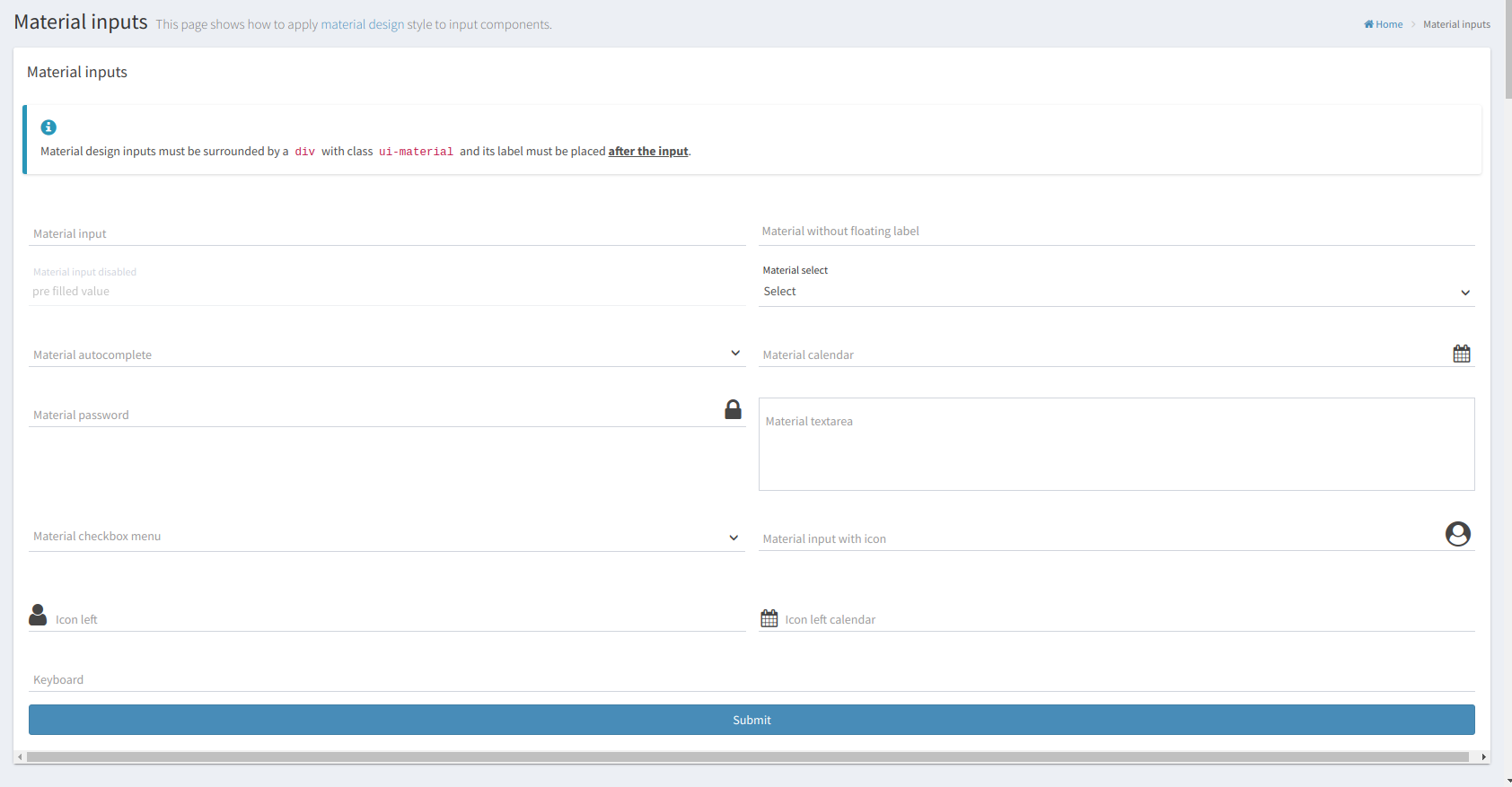
Expected Behaviour
No horizontal scroll on the bottom of the page
How to reproduce
A sample xhtml code may help, ex:
  <p:panel styleClass="card no-border" header="Material inputs">

            <div class="callout-card callout-info">
                <h4>
                    <span class="glyphicon glyphicon-info-sign"/>
                </h4>
                <p>Material design inputs must be surrounded by a <code>div</code> with class
                    <code>ui-material</code> and its label must be placed <span
                            style="font-weight:bold;text-decoration: underline">after the input</span>.</p>
            </div>

            <h:form>
                <div class="ui-g ui-fluid">

                    <div class="ui-g-6 ui-sm-12">
                        <div class="ui-material">
                            <p:inputText id="input" required="true" placeholder="Material placeholder"/>
                            <p:outputLabel for="input" value="Material input"/>
                            <p:message for="input"/>
                        </div>
                    </div>

                    <div class="ui-g-6 ui-sm-12">
                        <div class="ui-material no-float">
                            <p:inputText id="input-no-float" required="true" placeholder="Material without floating label"/>
                            <p:message for="input-no-float"/>
                        </div>
                    </div>

//rest of the page
Additional Information
- AdminFaces version:
- PrimeFaces version:
- Browser version:

Issue Overview
There is an extra horizontal scroll when
gridCssis insidea p:panelin some situations (e.g to grids with 6 columns).Current Behaviour
Expected Behaviour
No horizontal scroll on the bottom of the page
How to reproduce
A sample xhtml code may help, ex:
Additional Information