An Arm CCA Architecture with Planes feature.
Make sure that all the following tools are installed on your local:
- python3-pyelftools, python3-venv
- acpica-tools
- openssl (debian libssl-dev)
- libglib2.0-dev, libpixman-1-dev
- dtc (debian device-tree-compiler)
- flex, bison
- make, cmake, ninja (debian ninja-build), curl, rsync
- tmux
- aarch64 crossing-compilers
❗ Make sure you have at least 40G of disk space. After the compilation is complete, 25G of disk space will be consumed.
The deployment architecture is shown as the following figure:
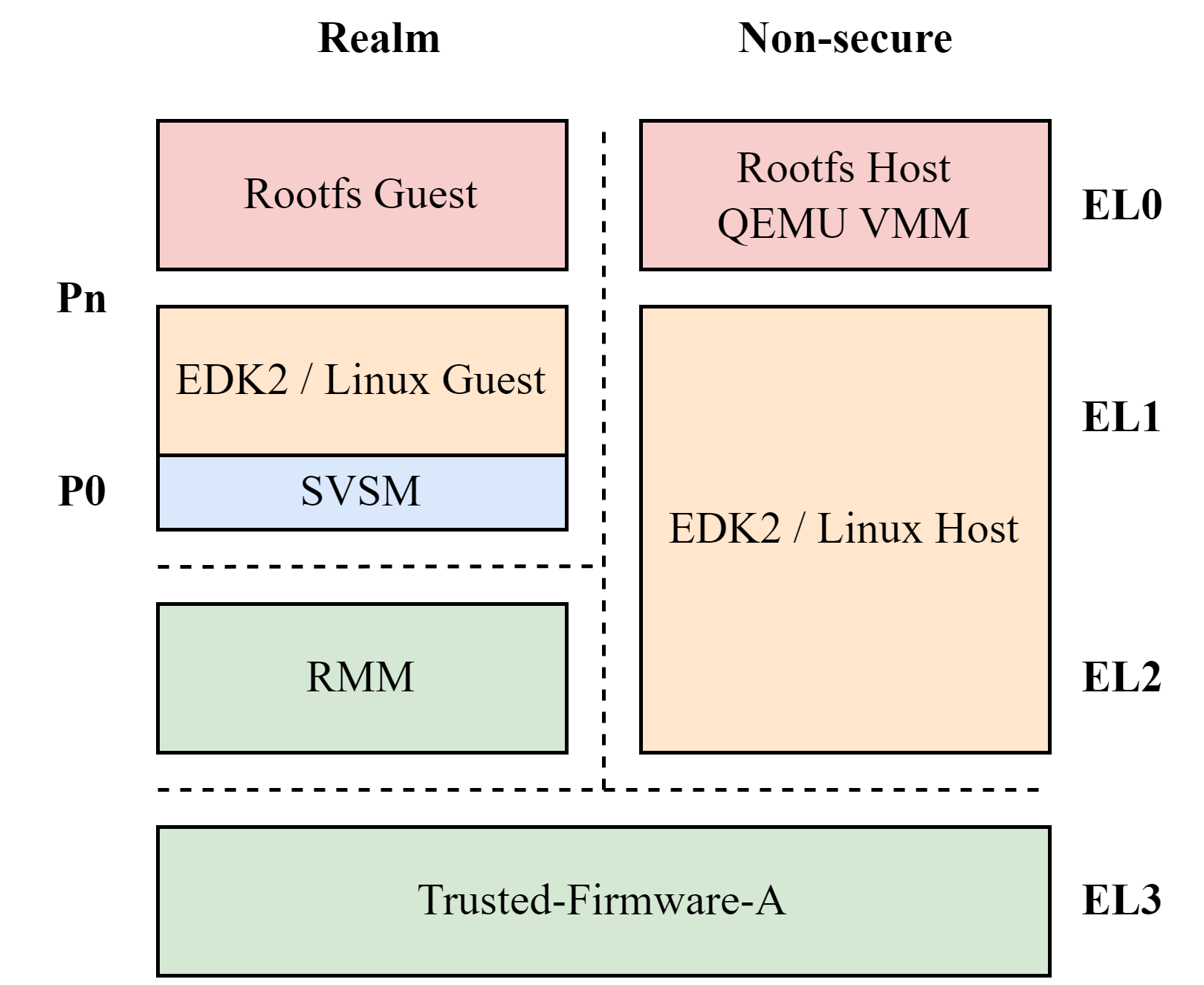
First, clone this repository to your local:
git clone https://github.com/YEWPO/y-cca.gitAll dependencies list in scripts/init.sh, you can edit it when necessary.
Download dependencies by execute:
make initBuild all dependencies by execute (If you modified the codes, re-run this command is necessary):
make buildBy default, the RMM version is v1.0. To build RMM v1.1, execute:
make build RMM_V1_1=ONRun the CCA system by execute:
make runWe created scripts for QEMU and LKVM to launch Realm Guest, you can use it to launch guest.
Launching Realm Guest by QEMU (❗ Do not support Planes Feature currently):
/mnt/scripts/qemu_realm.shLaunching Realm Guest by LKVM:
/mnt/scripts/lkvm_realm.shIn order to debug the exception simply, you can modify the lkvm_realm.sh script to change the -c 2 to -c 1.
- Our RMM based on Linaro RMM, branch
cca/v4. - Our Linux based on Linaro linux-cca, branch
cca-full/v5+v7.